Quickly diagnose, test, and monitor hard drives to detect errors and prevent potential data loss
Quickly diagnose, test, and monitor hard drives to detect errors and prevent potential data loss
Vote (2 votes)
Program license Free
Developer Seagate Technology
Version 5.2.5
Works under Windows
Vote
(2 votes)
Developer
Seagate Technology
Works under
Windows
Program license
Free
Version
5.2.5
Pros
- Works with a wide variety of drive brands and interfaces
- Multiple levels of diagnostic tests available
- Clear, straightforward interface
- Minimal risk to stored data during tests
- Free to use
Cons
- Limited advanced support for SSDs
- Repair functions require caution
- Interface lacks modern visual appeal
A powerful diagnostic tool for testing hard drives and monitoring disk health
Comprehensive Hard Drive Diagnostics
SeaTools is a robust utility developed by Seagate for Windows users who need to verify the health and integrity of their storage drives. Despite its origins with Seagate, this tool can test and diagnose virtually any brand of hard drive, whether internal or external, including SATA, USB, ATA, and SCSI interfaces.
User-Friendly Interface and Drive Detection
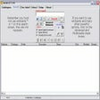
The design of SeaTools prioritizes clarity, making hardware diagnostics approachable for both novices and experienced users. Upon launch, the software automatically identifies all connected drives and presents key information such as model numbers, firmware versions, and status indicators. This immediate overview helps users easily select the specific drive they want to assess.
Versatile Testing Options
SeaTools provides several testing modes suited for different purposes. For general health monitoring, the S.M.A.R.T. Check and Short Drive Self Test offer quick scans that check for the most common issues, delivering results rapidly with minimal user input. For users who require more thorough analysis, the Long Generic Test and additional advanced utilities perform a deeper and more meticulous examination of the disk's surface and internal operations, identifying even less obvious faults.
Diagnostics and Reporting
Test results are displayed clearly, often providing pass/fail outcomes and, in the case of more advanced scans, detailed information about any bad sectors or errors found. These reports help users understand whether their drive is reliable or if replacements or further actions are needed. Importantly, SeaTools conducts read-only tests to ensure data is not impacted during diagnostics, keeping stored files safe.
Additional Features and Considerations
In addition to standard tests, SeaTools can sometimes perform basic repairs, such as overwriting bad sectors. However, this feature should be used with caution, as it may risk data loss if not thoroughly understood. The application is lightweight and doesn’t require significant system resources, making it suitable for running alongside other maintenance tasks.
Limitations
While SeaTools excels at diagnosing physical drive problems, it does not provide advanced data recovery solutions or detailed analysis for solid-state drives (SSDs). Users seeking deep SSD-specific reporting may need to look for specialized alternatives. The interface, while practical, is more focused on function than aesthetics, which some users might find utilitarian.
Pros
- Works with a wide variety of drive brands and interfaces
- Multiple levels of diagnostic tests available
- Clear, straightforward interface
- Minimal risk to stored data during tests
- Free to use
Cons
- Limited advanced support for SSDs
- Repair functions require caution
- Interface lacks modern visual appeal